 MENU
MENU
UTC
Perform a wide range of calculations including true altitude, density altitude, ground speed, true airspeed, Mach number, flight time, fuel consumption, unit conversions, temperature gradient, point of safe return, wind components, and triangle of velocities.

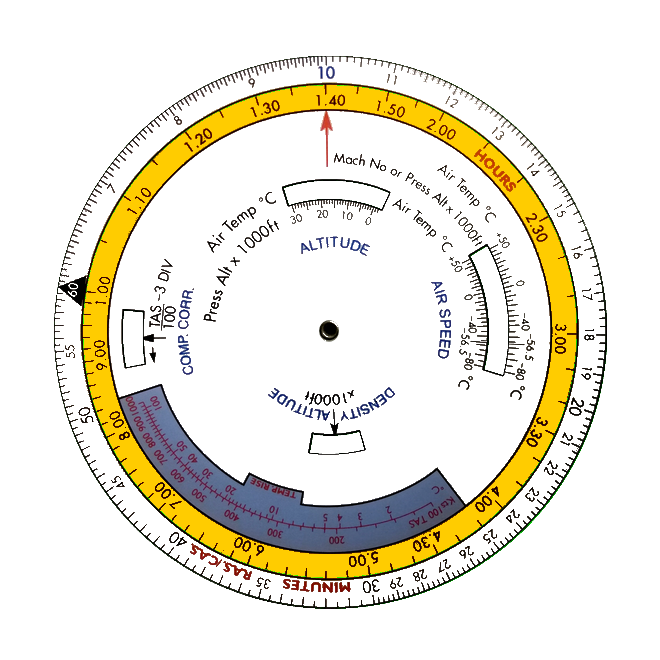


 How to use a flight computer (E6B) ?
This guide walks you through the most common calculations you can perform with a flight computer. For each topic, a concrete exercise is provided.
1. True Altitude
2. Density Altitude
3. True Airspeed (up to 300 knots)
4. True Airspeed (above 300 knots)
5. Speed of Sound
6. True Airspeed from Mach Number
7. Flight time for a given distance
8. Fuel consumed over a given time
9. Converting Kilometres to Nautical Miles
10. Heading and Ground Speed (triangle of velocities)
11. Wind components
12. Magnetic Heading
13. Point of No Return (PNR)
14. Equal-Time Point (ETP)
1. True Altitude
The altitude indicated by a QNH setting only equals true altitude under standard atmospheric conditions — a situation rarely encountered due to temperature variations. To determine true altitude, you need the QNH, the QNH altitude, and the outside air temperature (OAT).
Exercise: QNH = 1010, QNH altitude = 6,000 ft, OAT = +10°C.
First, calculate the pressure altitude. The difference between standard pressure (1013 hPa) and the QNH (1010 hPa) is 3 hPa. Since the QNH is lower than standard, pressure altitude will be higher than QNH altitude. Using the approximation of 27 ft per hPa: pressure altitude = 6,000 + (3 × 27) = 6,081 ft.
On the flight computer, set 6,081 ft opposite +10°C in the ALTITUDE window of the inner disk. Then place the cursor on the QNH altitude (6,000 ft) on the inner disk scale. Read the true altitude on the outer disk: 6,160 ft.
2. Density Altitude
Density altitude is pressure altitude adjusted for non-standard temperature. It is essential for estimating aircraft performance. You need the pressure altitude and the OAT.
Exercise: Pressure altitude = 15,000 ft, OAT = −30°C.
On the flight computer, set 15,000 ft opposite −30°C in the AIR SPEED window of the inner disk. Read the density altitude directly under the DENSITY ALTITUDE index: 13,200 ft.
3. True Airspeed (up to 300 knots)
The airspeed indicator is calibrated for standard sea-level conditions. At altitude, the lower air density means the indicated speed underestimates the true airspeed (TAS). You need the pressure altitude, OAT, and CAS (Calibrated Airspeed — indicated airspeed corrected for instrument and position errors).
Exercise: Pressure altitude = 35,000 ft, OAT = −47°C, CAS = 140 kt.
Set 35,000 ft opposite −47°C in the AIR SPEED window. Place the cursor on 140 kt on the inner disk. Read the TAS on the outer disk: 250 kt.
4. True Airspeed (above 300 knots)
At high speeds, air compressibility causes abnormally high pressure at the pitot tube, introducing an additional error. You need the same inputs as above.
Exercise: Pressure altitude = 35,000 ft, OAT = −47°C, CAS = 280 kt.
Following the same steps as in 3, you first find an uncorrected TAS of 500 kt. Since this exceeds 300 kt, apply the compressibility correction using the formula on the flight computer: divide 500 by 100 and subtract 3, giving 2. Rotate the inner disk 2 divisions to the left in the COMPRESSIBILITY CORRECTION window. Reposition the cursor on CAS = 280 kt. Read the corrected TAS on the outer disk: 481 kt.
5. Speed of Sound
The speed of sound varies with air temperature. Only the OAT is needed.
Exercise: OAT = −35°C.
Set the Mach number index opposite −35°C in the AIR SPEED window. Place the cursor on the red Mach number arrow on the inner disk. Read the local speed of sound on the outer disk: 600 kt.
6. True Airspeed from Mach Number
You need the OAT and the Mach number.
Exercise: OAT = −35°C, Mach = 0.8.
As in exercise 5, set the Mach number index opposite −35°C. Place the cursor on Mach 0.8 on the inner disk. Read the TAS on the outer disk: 480 kt.
7. Flight time for a given distance
You need the distance to cover and the ground speed (GS).
Exercise: Distance = 300 NM, GS = 190 kt.
Align the 60 index on the inner disk opposite 190 kt on the outer disk. Move the cursor to 300 NM on the outer disk. Read the flight time on the inner disk: 94.5 minutes.
8. Fuel consumed over a given time
You need the fuel burn rate (per hour) and the flight duration.
Exercise: Duration = 51 min, fuel burn = 20 gal/hr.
Align the 60 index on the inner disk opposite 20 gal on the outer disk. Move the cursor to 51 minutes on the inner disk. Read the fuel consumed on the outer disk: 17 gallons.
9. Converting Kilometres to Nautical Miles
Exercise: Convert 80 km to nautical miles.
Align 80 km on the inner disk opposite the km marker on the outer disk. Move the cursor to the Naut. M marker on the outer disk. Read the equivalent distance on the inner disk: 43.2 NM.
10. Heading and Ground Speed (triangle of velocities)
The triangle of velocities uses six values: heading and TAS, track and ground speed, wind direction and wind speed. If four are known, the other two can be found.
Exercise: Track = 300°, TAS = 200 kt, wind from 060° at 40 kt. Find the heading and ground speed.
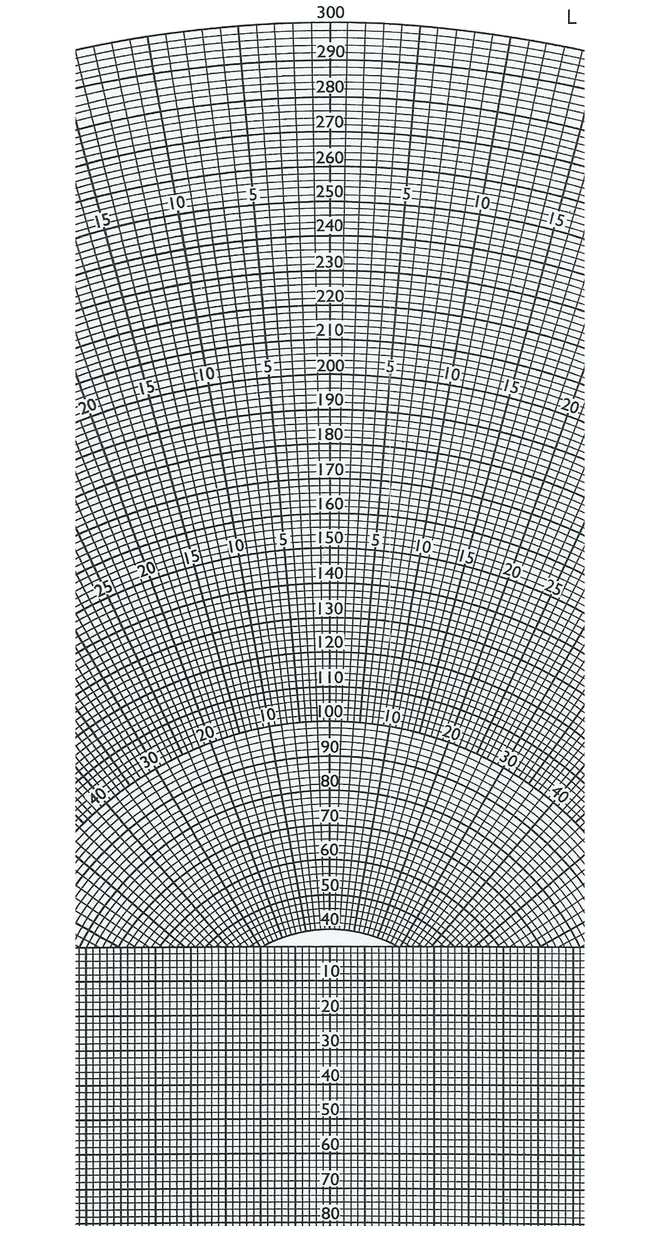
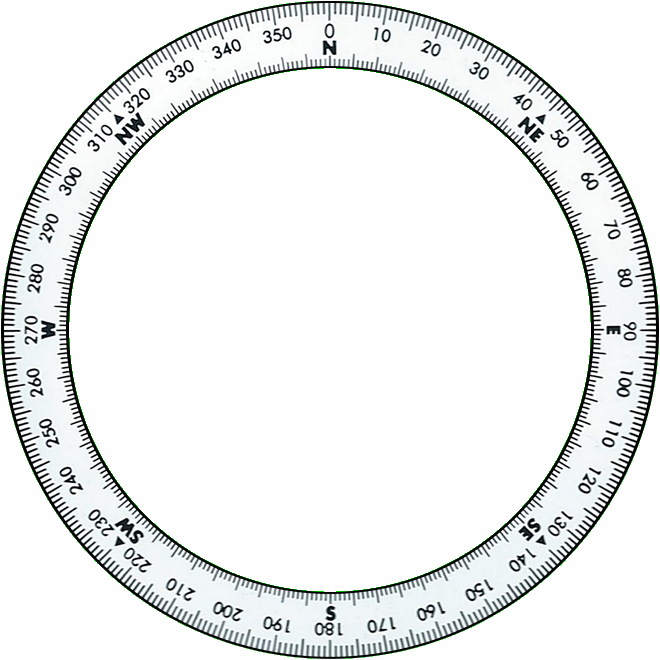
Rotate the inner disk to place the track (300°) opposite the index. Rotate the cursor to the wind direction (060°). Since this is a tailwind component, mark the wind speed (40 kt) on the lower part of the cursor. Slide the plotting board so the 40 kt wind mark aligns with the 200 kt arc (the TAS). The straight line through that point shows a drift of 10°. The wind comes from the right, so apply a positive drift correction: heading = 300° + 10° = 310°. Read the ground speed on the arc passing through the centre: 217 kt.
11. Wind components
For take-off and landing, knowing the crosswind and headwind/tailwind components is critical. You need the runway direction, wind direction, and wind speed.
Exercise: Runway 260°, wind from 290° at 20 kt.
From this, we can already deduce a right-side crosswind and a headwind component.
Center the disk on the grid zero. Rotate the inner disk to place the runway direction (260°) opposite the bottom of the index. Rotate the cursor to the wind direction (290°). Mark 20 kt on the cursor scale. The intersection with a vertical grid line gives the crosswind component: 10 kt. The intersection with a horizontal grid line gives the headwind component: 17 kt.
12. Magnetic Heading
Magnetic declination (variation) is the angular difference between true north and magnetic north. To find the magnetic heading, you need the true heading and the magnetic variation.
Exercise: True heading = 355°, variation = 15° East.
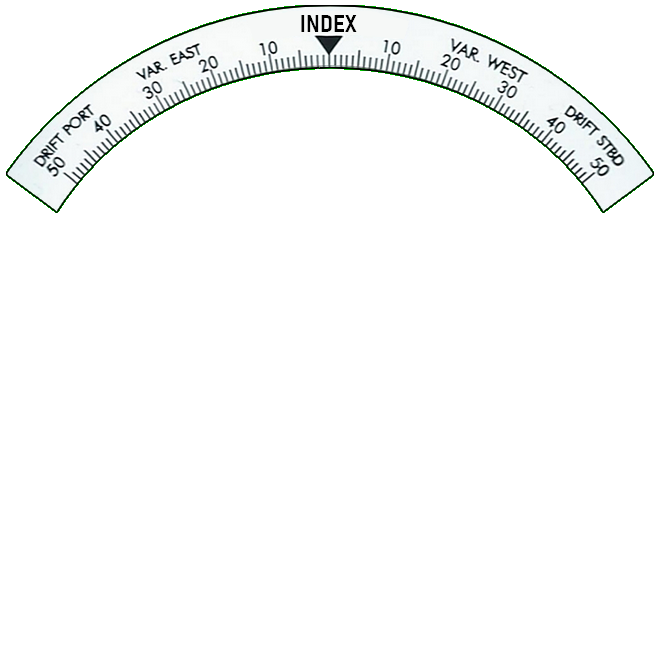
Rotate the inner disk to place 355° opposite the index. Find 15° on the VAR EAST scale. Read the magnetic heading on the inner disk: 340°.
13. Point of No Return (PNR)
The flight computer can also determine the time to reach the point of no return — the furthest point from which you can still return to the departure airport with the available fuel endurance. You need the outbound ground speed (GSo), the return ground speed (GSr) and the endurance.
Exercise: Endurance = 4h30, GSo = 160 kt, GSr = 140 kt.
Calculate GSo + GSr = 160 + 140 = 300 kt. On the inner disk, align 300 kt opposite GSr = 140 kt on the outer disk. Move the cursor to the endurance (4.5 h) on the inner disk. Read the time to the PNR on the outer disk: 2.1 h.
To find the PNR distance, multiply the time by GSo. On the inner disk, align 10 opposite 2.1 h on the outer disk. Move the cursor to GSo = 160 kt on the inner disk. Read the PNR distance on the outer disk: 336 NM.
14. Equal-Time Point (ETP)
The equal-time point is the position along a route where it takes the same time to continue to the destination as to return to the departure airport. You need the outbound ground speed (GSo), the return ground speed (GSr) and the total route distance.
Exercise: GSo = 160 kt, GSr = 140 kt, total route distance d = 400 NM.
On the outer disk, place the cursor on GSr = 140 kt. Rotate the inner disk to place (GSo + GSr) = 300 kt under the cursor. Move the cursor to d = 400 NM on the inner disk. Read the ETP distance on the outer disk: 186.6 NM.

 Leave a tip to get exclusive access to the Android app